
 |
| Micromax USB Modem not work in Windows 8/ 8.1 |
Method 1 (Older Method works fine with Windows 8/ 8.1):
1. uninstall the software if already installed.
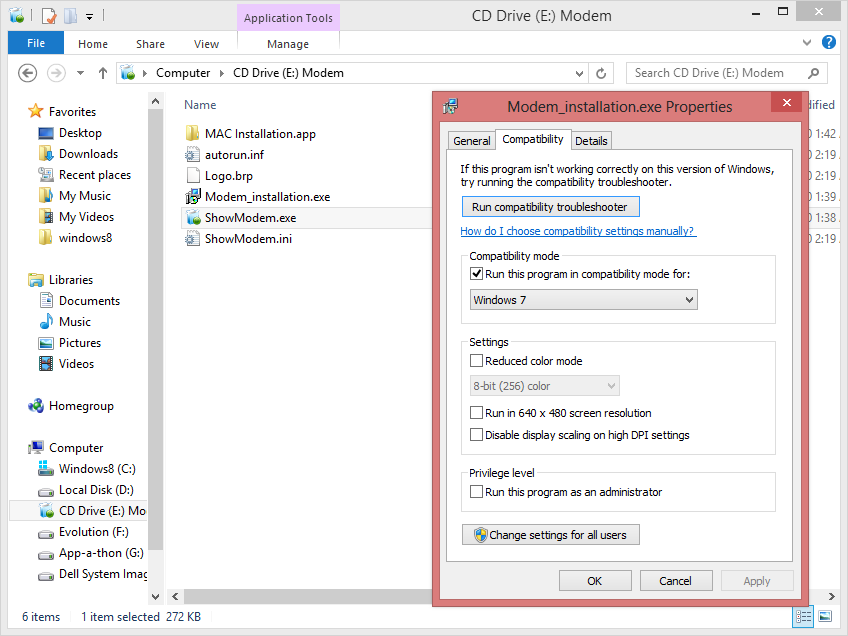
2. open the modem in new windows and set its ( modem_installation.exe and show_modem.exe ) compatibility to windows7 then press OK.
3. Now install the software , then restart the system .
4. Connect the modem and start the software ( it shows no device ) then exit the application from the task manager .
5. Open the Device manager ( control panel > Administrative tools > Computer management )
6. Go for Other devices , simply uninstall all the drivers related to modem there (better uninstall both with or without yellow mark)
7. Go to Action menu and click on Scan for hardware changes .
8. Now simply open the MMX usb manager and it works fine.
No comments:
Post a Comment